Showing posts with label digital scrapbook kit. Show all posts

Saturday, March 14, 2015

Pinch Proof Shaker Pin!


Hello there, it's Tanya here to share with you this really cute St. Patrick's Day shaker pin I made for The Digichick hybrid team.  The detailed tutorial can be found here on The Hybrid Chick Blog.


Pinch Proof Shaker Pin
 

Before I go any further, I wanted to share a little bit about St. Patrick's Day.  The following information on St. Patrick's Day was googled.

Saint Patrick’s Day?

Many folk ask the question ‘Why is the Shamrock the National Flower of Ireland ?’ The reason is that St. Patrick used it to explain the Holy Trinity to the pagans. Saint Patrick is believed to have been born in the late fourth century, and is often confused with Palladius, a bishop who was sent by Pope Celestine in 431 to be the first bishop to the Irish believers in Christ.
In the custom known as “drowning the shamrock”, the shamrock that has been worn on a lapel or hat is put in the last drink of the evening.

Saint Patrick’s Day has come to be associated with everything Irish: anything green and gold, shamrocks and luck. Most importantly, to those who celebrate its intended meaning, St. Patrick’s Day is a traditional day for spiritual renewal and offering prayers for missionaries worldwide.
Why is it celebrated on March 17th? One theory is that that is the day that St. Patrick died. Since the holiday began in Ireland, it is believed that as the Irish spread out around the world, they took with them their history and celebrations. The biggest observance of all is, of course, in Ireland. With the exception of restaurants and pubs, almost all businesses close on March 17th. Being a religious holiday as well, many Irish attend mass, where March 17th is the traditional day for offering prayers for missionaries worldwide before the serious celebrating begins.
In American cities with a large Irish population, St. Patrick’s Day is a very big deal. Big cities and small towns alike celebrate with parades, “wearing of the green,” music and songs, Irish food and drink, and activities for kids such as crafts, coloring and games. Some communities even go so far as to dye rivers or streams green!

 Where did the Pinch come from?

~~~~~~~~~~~~~~~~~~~~~~~~~~~~~~~~~~~~~
When the Irish immigrated to the U.S. because of the potato famine, most Irish were thought to be no good drunkards and they were pretty much not excepted and ridiculed. When St. Patrick's Day would arrive, few wore green because of this oppression and few didn't so they pinched those who didn't wear green for lack of pride and it was passed down.


To get step by step instructions on how this fun shaker pin was made go here to the Hybridchick Blog.  The blog is a place where the Hybrid team shares Hybrid Crafts and shows you how to make them.  

Here are couple of other tutorials that I have done so far:


Ordinary Day | Kit


This tutorial shows you how to take the digital kit Ordinary Day by Akizo Desgns and make some really cute cards.  I could create cards, boxes, treat bags, etc. all day long with this kit.   I really love the versatility of this kit and oh the colors, I love the color combination.

If you are into scrapbooking, take a look here to see some really great pages with this kit.
My very first project for the Hybrid Digichick team was for Valentine's Day.
 
http://www.thedigichick.com/shop/images/P/kimeric_hsbpp.jpg
 
http://www.thedigichick.com/shop/images/P/kimeric_hsbpp.jpg


I used Kimeric Kreations digital papers and cutting files from the Silhouette Design store.
 

Heartstrings (bonus papers)


There are so many digital kits, elements, photo masks, templates.....you name it, The Digichick has it.


Soon I will have a tutorial on how to make a marble bag using Kimeric Kreation's kit:  It's A Guy Thing. 

It's a Guy Thing (collection)

I hope that everyone has a great weekend.  I'm planning on working on that marble bag tutorial and cleaning house.  I'm not too thrilled about the cleaning house part has, but it needs to get done!
 
THANKS for stopping by:
Tanya
 I

Tuesday, February 17, 2015

I Have some AWESOME news to share!


I have some really GREAT news to share with you!!!  I'm really excited about telling you what I've been up to lately.   As you already know I love crafting, all kinds.   But one of my most favorite things to do is Hybrid crafts.  Hybrid crafting is combining traditional (old school/fussy cutting) and digital into one.  Digital scrapbook kits and accessories aren't just for scrapbooking any more, it's for making fun projects like gift boxes, cards, tags, bookmarks, etc.  The possibilities are endless.

So with all that said, here is my really awesome news.....I have been chosen to be on The Digichick Hybrid Creative team. 

I have already posted my first blog post at The Hybrid Chic and posted a few projects in the gallery.  These were made with the kit Warm Heart by Akizo Designs. 

Warm Heart | Kit

Warm Heart by Akizo Designs


Gift Tag using papers and elements

All you need is love card


Gift box using same kit

 There are some very talented ladies designing at The Digichick.   Kimeric Designs,  Meagan's Creations,  Sweet Digi Scrap Designs, Laitha's Designs, are just to name a few.  There are so many kits that I want to work with that my head is spinning. 

Next Monday I will have a new blog post for you here and at The Hybrid Chick, so be on the look out for that.  Don't be afraid to leave some blog love to let me know how I'm doing.
 
I am still at Peppermint Creative on the hybrid design team.  I will be there as long as she will have me.  Miss Mint has taught me so much and I hope to be there a long time.  Here is one of my lasts posts there.   I used the My Guy digital kit to create this tag and the cute heart box for Valentine's Day.

Love that lasts tag using the My Guy Kit

Heart Tote using the My Guy Kit


My Guy Kit

Here are some new products in the store.  I can't wait to use them, they look super fun.

 
Journal Doodles v.01

LIP: 4x6" Doodle Card Stamps v.01

Thanks so much for stopping by and letting my share my good news with you.

Have a Blessed week

XOXOXO,  Tanya


Friday, July 4, 2014

4th of July Party Treats

I hope that everyone is enjoying their summer.  It's been okay here so far. It's not as bad as it has been in the past for Oklahoma weather and I am SOOOOO THANKFUL!

I can't believe it's already here.....JULY!  Omg...that means I need to get on the ball and get some things done.  One of those things I finally finished tonight.  I made these cute tags to tie around my candy treats.  I think everyone that comes to the celebration will love them.
.
 
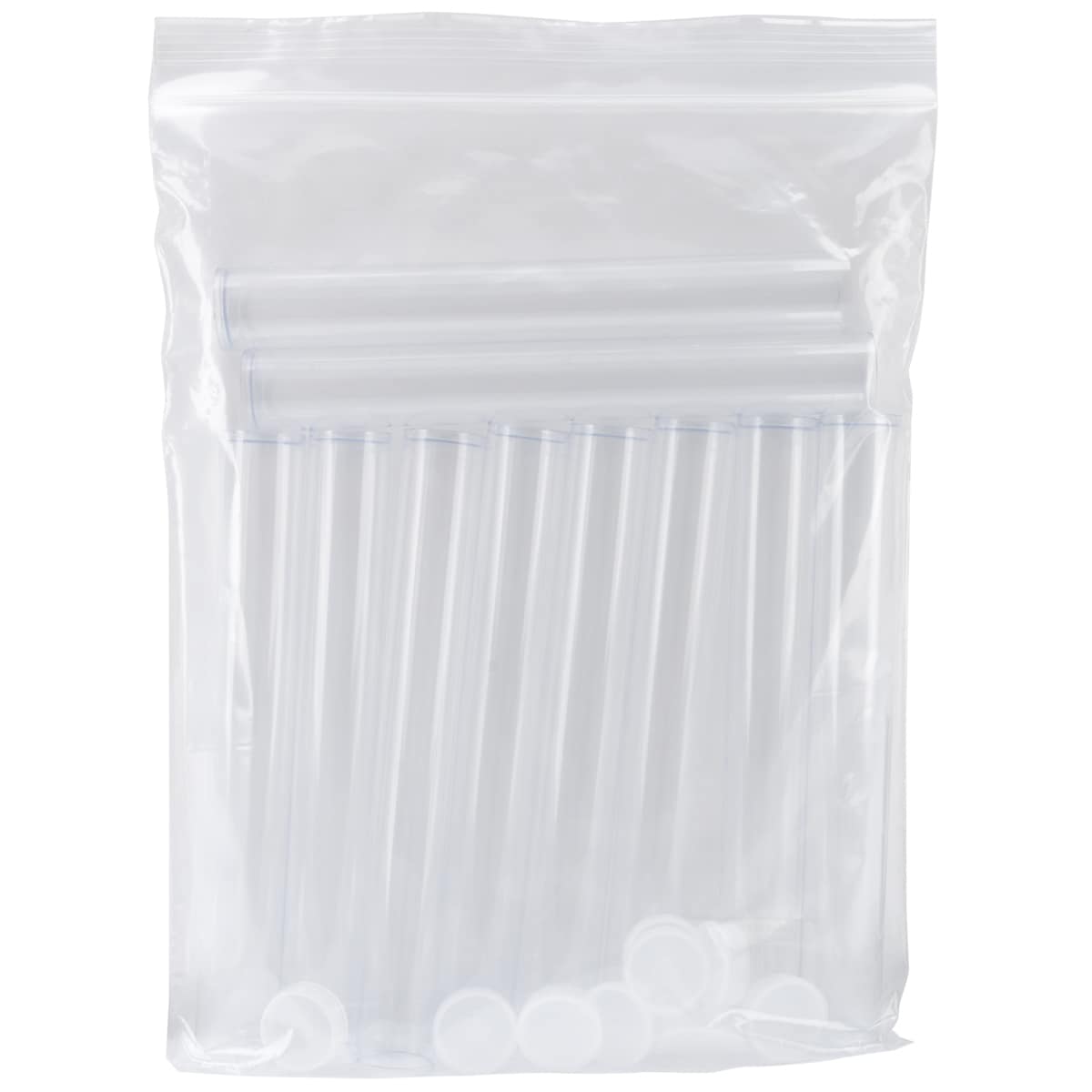
http://www.overstock.com/Crafts-Sewing/Clear-Tall-Round-Craft-Tube-8-10-Pkg/6740114/product.html?searchidx=1
I used these little tubes that I purchased from Overstock.com
 
The digital scrapbook kit that I used was from Peppermint Creative and it's called
 
http://www.peppermintcreative.com/index.php?main_page=product_info&cPath=111_117&products_id=2487


These are a few of the other tags I made to wrap around my candy tubes.


I really enjoyed making these cute treat tags for our party tomorrow night.  I hope everyone likes them as much as I do.  I hope they still have M&M's in them when I hand them out....LOL!
 
Below are some brief instructions on the cutting steps.   Before you can  print, there are a few steps that you need to do so that the cut part will work properly.
 

 First chose the size paper you will be using, I work with 8.5x11.  I'm guessing that is what most use.


 Next, you will need to make sure that the "Show Reg Marks" are checked.  This is so that the machine can scan the marks and know where to cut out your images.
 (You will need to have those cut lines on ~See Below)
 
 
To open the cut style options, you will click on the scissors at the top of your screen.  Here you can see there are several options.  See where the "let's celebrate" is circled in black?  If you look over to the right you can see that "No Cut" is chosen for that image.  Now look at the rest of the images.  See how the have a red line around them?  This is because the cut lines have been picked. 
 
This is also where you double check to see if everything you want to cut has the red around them and anything you don't want to cut doesn't have the red around them.  Here I missed picking the cut line.  Not a huge deal, it's simple enough to cut out with scissors.  Where this makes a huge difference is if you have a saying on top of an image that you don't want cut, but you do want the outer edge of the tag, card to be cut.  You would need to select the saying and click "No Cut" and the reselect the whole image and pick the "cut edge"


Finally, we can print and cut.  Make sure everything is on the page correctly and not overlapping anything.  To find this menu, click on the pencil at the top right of the page.  This will open "Cut Settings" Here is where you choose the media you are using.  For this project, I used white cardstock, so I chose "cardstock" in the media box.  Once you do this, it will automatically change everything to the appropriate settings.  There may be times that you have to do some manual adjusting in the program.
 
Finally, before you hit the cut button, make sure that you have your blade in your machine changed to the correct settings.  This will save you time and money.  I don't know how many times that I forgot to do that and how much paper and vinyl I have wasting by forgetting this step.  You will also need to put your media (cardstock) on your cutting mat and load it into your cameo.   Now hit the "CUT" button and watch it do it's magic.
 
I would love to hear what you think about this project and if you have any questions at all, please feel free to message me.  I would love to help.
 
Thanks so much for stopping by!
HAVE A HAPPY 4th of JULY!!
Be safe!
♥, Tanya